Overlays › SubWheel
About this tool
SubWheel – the wheel of fortune
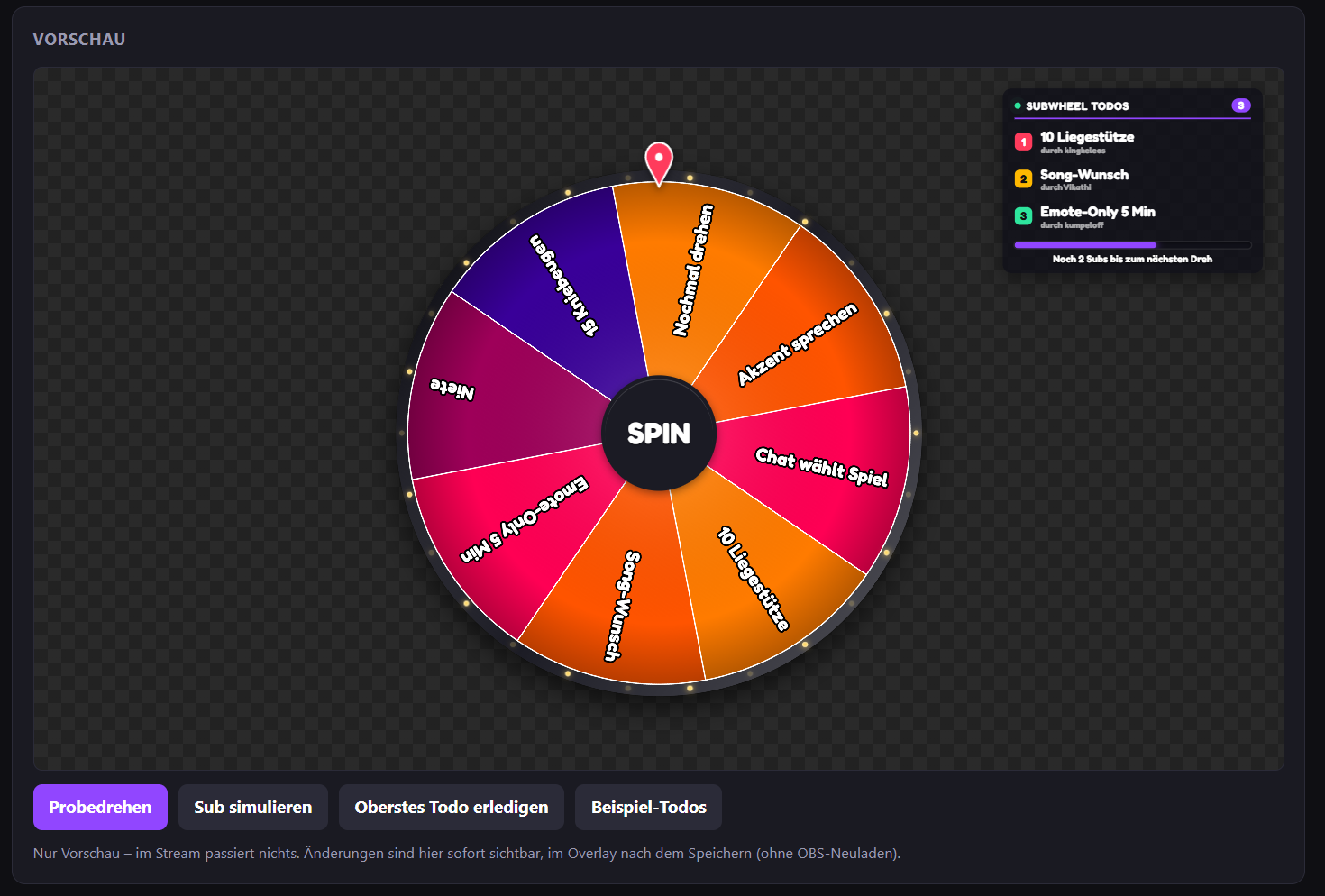
Your community subs, the wheel spins. SubWheel counts subs, resubs and gift subs live and automatically triggers a spin at the number you choose. The result lands as a to-do in a list on your overlay until you've completed it. Runs as a browser source in OBS, only reads your public chat, and needs no bot login and no installation.
How it works
- You decide how many subs trigger a spin, for example every 5 subs
- Prime, Tier 1, 2 and 3 can count differently, you set the values
- Every gifted sub counts individually, so a 10-gift bomb can spin the wheel several times in a row
- The result appears with confetti and sound, then goes into the to-do list, optionally showing who triggered the spin
Check off to-dos in chat
- !done 2 completes to-do #2, !done all clears everything, !undo brings back the last one
- !spin spins the wheel instantly, !todo adds your own tasks
- For the streamer and mods, optionally VIPs too, all commands can be renamed
- Or just click them off in the dashboard
Your wheel, your look
- Up to 40 segments with their own text, color and win chance
- Segments can be a to-do, a blank or "Spin again"
- 8 one-click color palettes, plus fonts, rim, light ring, and a center with your own text or image
- 4 pointer styles in any position, with free choice of color and size
- Adjustable spin duration, rotations, sounds and volume, including your own win sound
- Keep the wheel on screen permanently, or have it fade in just before a spin and disappear afterwards
- To-do list and progress bar ("3 more subs until the next spin") can be placed and styled freely
Easy setup
Paste the overlay URL into OBS, done. The dashboard shows every change instantly in a live preview, and saved changes reach the overlay without reloading. With "Test in overlay" you can do a trial spin directly in OBS without anything being counted.
IMPORTANT: Subs are counted while the overlay is loaded in OBS. Resubs count when the viewer shares their resub message in chat.
Your community subs, the wheel spins. SubWheel counts subs, resubs and gift subs live and automatically triggers a spin at the number you choose. The result lands as a to-do in a list on your overlay until you've completed it. Runs as a browser source in OBS, only reads your public chat, and needs no bot login and no installation.
How it works
- You decide how many subs trigger a spin, for example every 5 subs
- Prime, Tier 1, 2 and 3 can count differently, you set the values
- Every gifted sub counts individually, so a 10-gift bomb can spin the wheel several times in a row
- The result appears with confetti and sound, then goes into the to-do list, optionally showing who triggered the spin
Check off to-dos in chat
- !done 2 completes to-do #2, !done all clears everything, !undo brings back the last one
- !spin spins the wheel instantly, !todo adds your own tasks
- For the streamer and mods, optionally VIPs too, all commands can be renamed
- Or just click them off in the dashboard
Your wheel, your look
- Up to 40 segments with their own text, color and win chance
- Segments can be a to-do, a blank or "Spin again"
- 8 one-click color palettes, plus fonts, rim, light ring, and a center with your own text or image
- 4 pointer styles in any position, with free choice of color and size
- Adjustable spin duration, rotations, sounds and volume, including your own win sound
- Keep the wheel on screen permanently, or have it fade in just before a spin and disappear afterwards
- To-do list and progress bar ("3 more subs until the next spin") can be placed and styled freely
Easy setup
Paste the overlay URL into OBS, done. The dashboard shows every change instantly in a live preview, and saved changes reach the overlay without reloading. With "Test in overlay" you can do a trial spin directly in OBS without anything being counted.
IMPORTANT: Subs are counted while the overlay is loaded in OBS. Resubs count when the viewer shares their resub message in chat.
How to get started
1
Log inwith your Twitch account
2
Unlockby subscribing to my channel
3
Add to OBSURL as browser source