Overlays › ClipRandomizer
About this tool
Plays random clips from your own channel right inside OBS. Perfect for your break, BRB or starting-soon scene.
No clip repeats until all others have played, even across OBS restarts.
Filter by time range, views and length, featured clips only, or exclude individual clips.
Clip info with title, clipper, views, date and game, fully customizable text, shown at the start or the whole time.
Customizable player: size up to fullscreen, position, corners, border, shadow, progress bar, transitions.
Set the volume, a pause between clips and an automatic stop after X clips.
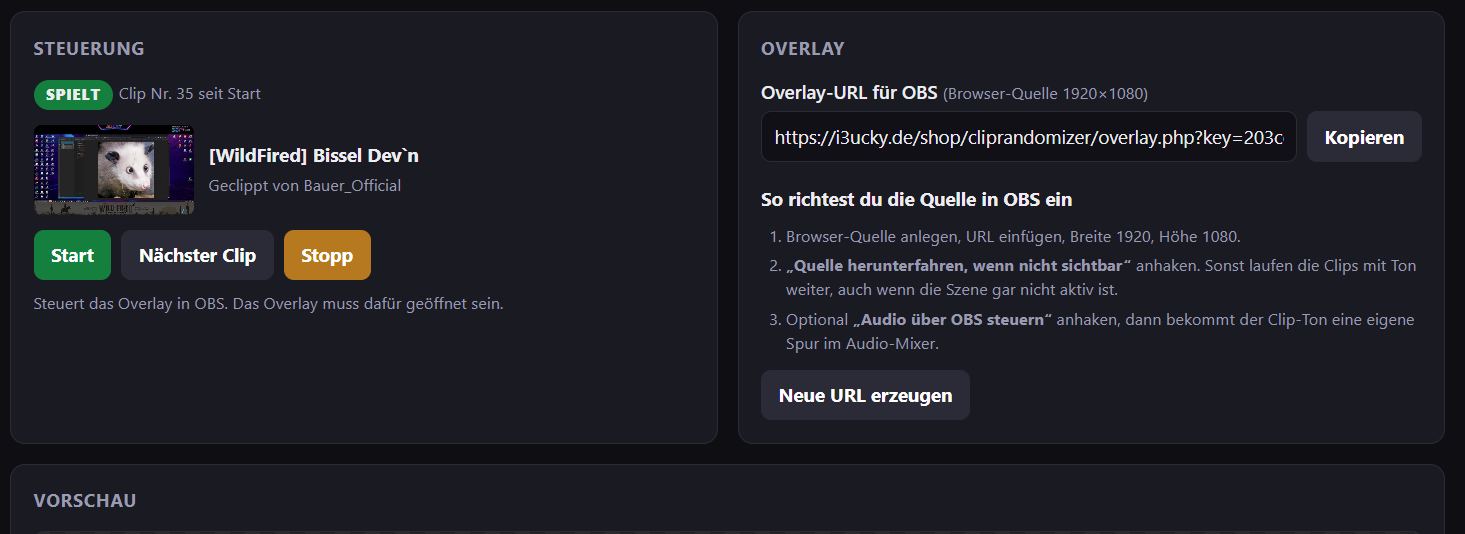
Mods control it from chat: next clip, stop, start. The dashboard shows which clip is playing and lets you queue a specific clip next.
Connect your Twitch account once and you're done. No bot login needed.
No clip repeats until all others have played, even across OBS restarts.
Filter by time range, views and length, featured clips only, or exclude individual clips.
Clip info with title, clipper, views, date and game, fully customizable text, shown at the start or the whole time.
Customizable player: size up to fullscreen, position, corners, border, shadow, progress bar, transitions.
Set the volume, a pause between clips and an automatic stop after X clips.
Mods control it from chat: next clip, stop, start. The dashboard shows which clip is playing and lets you queue a specific clip next.
Connect your Twitch account once and you're done. No bot login needed.
How to get started
1
Log inwith your Twitch account
2
Unlockby subscribing to my channel
3
Add to OBSURL as browser source