 i3ucky's Tools
Overlays › Dropsi
About this tool
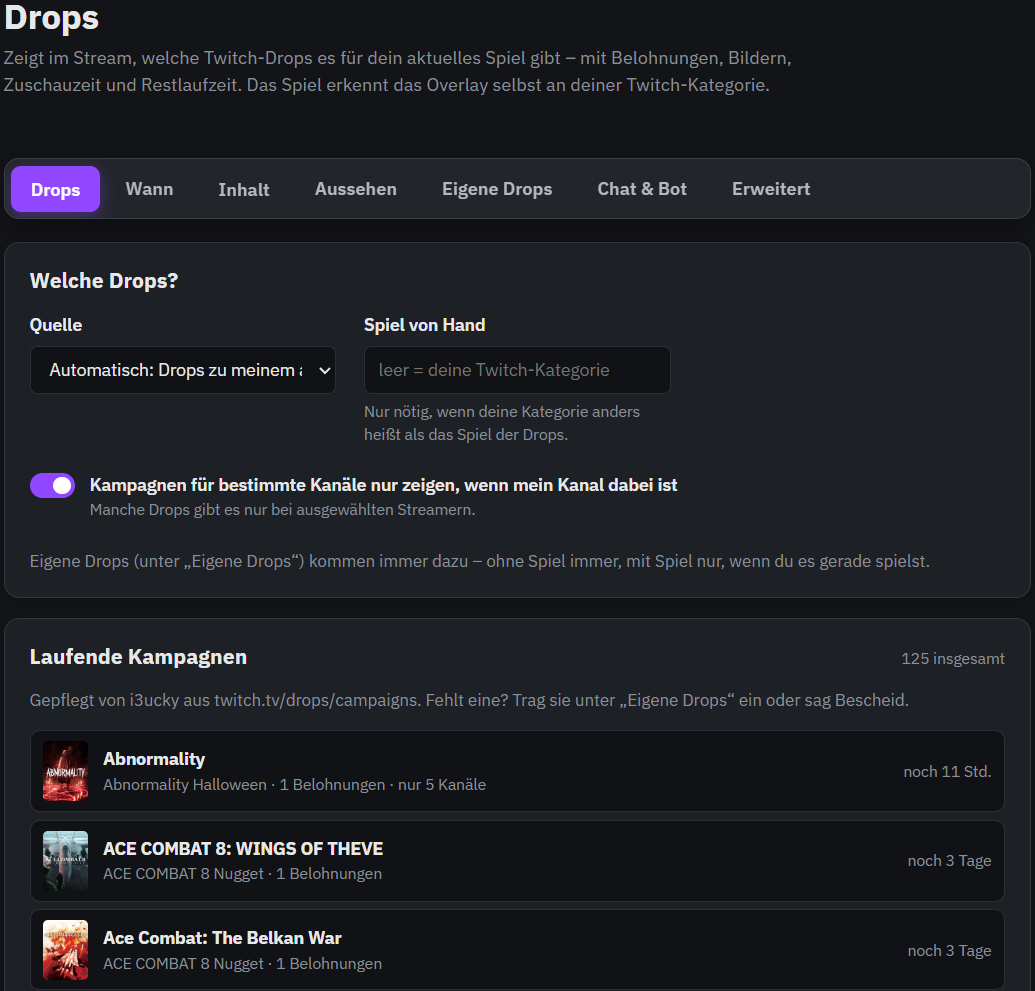
Your viewers won't miss drops anymore: the overlay detects your game from your Twitch category and shows the running drop campaigns for it – with game cover, every reward including its image, the watch time needed and how long the campaign still runs.Campaigns limited to certain channels only appear if your channel takes part. If a campaign is missing or you run your own event, simply add your own drops with images.You decide when the overlay is visible: always, regularly for a few seconds or only on command. Viewers bring it up with !drops, you and your mods with a button in the stream cockpit. ChattyRoo can also reply in chat with all rewards.With many rewards or several campaigns the overlay pages through them on its own: choose how many rewards fit on one page, how long each page stays and how it changes – fade, slide or instantly, optionally with page dots and a progress bar. Several campaigns are shown one after another, or only the one ending first.Sort rewards by Twitch order, shortest or longest watch time and hide sub-only rewards if you like. The run time shows as time left ("3 days left"), as a date or both.Fully customizable design: list, grid or compact image strip with a fixed or automatic number of columns, position, width, size, font, image size, cover size, spacing, colors for text, heading and watch time, border, corners, text shadow for overlays without background and the way it slides in.Runs in one OBS browser source, no bot login needed.
How to get started
1
Log inwith your Twitch account
2
Unlockby subscribing to my channel
3
Add to OBSURL as browser source